
What a 2d game developer does
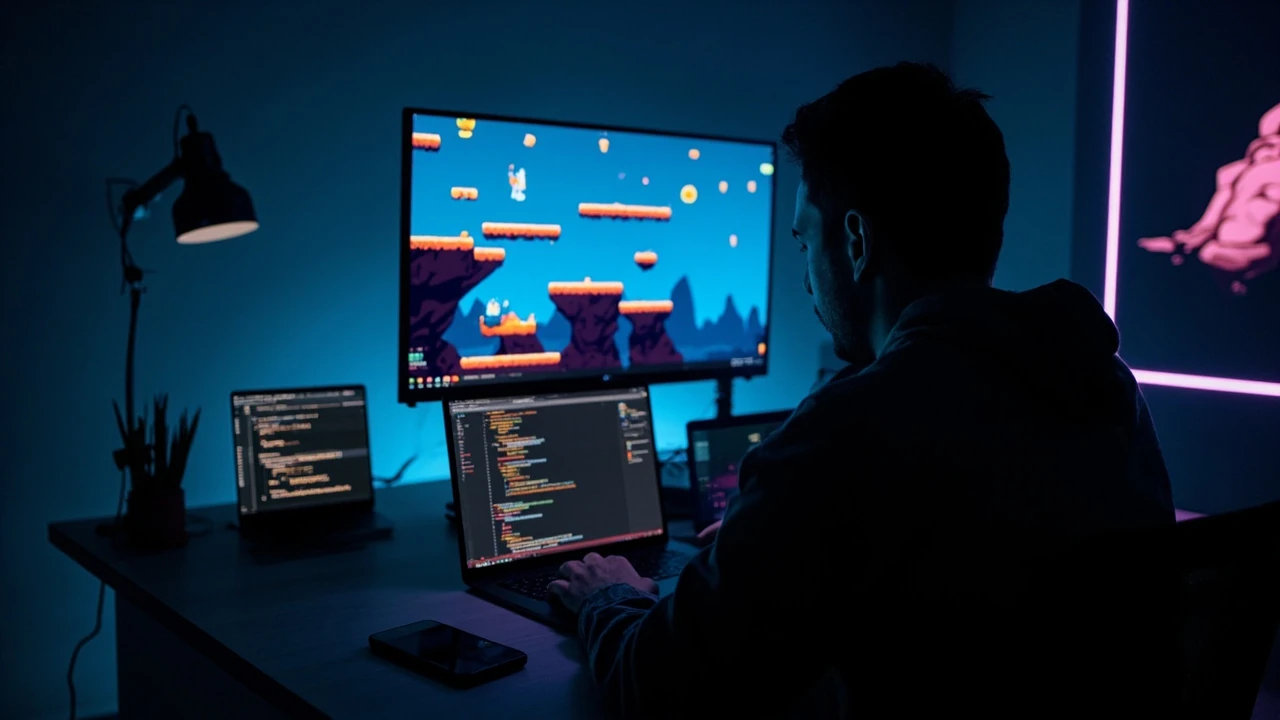
A 2d game developer turns a game idea into a playable system in which movement, interaction, camera behavior, and visual presentation unfold across two dimensions. The role can include programming, gameplay design, animation, level construction, tools, debugging, and production, but the balance depends on the project. In a small team, one person may cover several of these areas; in a larger studio, ownership is divided into narrower disciplines.
The defining feature is not simply flat graphics. A game can use 2D visuals while simulating three-dimensional movement, but it remains a 2D game when its core interaction is designed around a flat playing field. A platformer may scroll horizontally, a top-down game may use an overhead camera, and a fighting game may limit movement to one plane. Each uses visual clarity and direct control rather than free movement through a three-dimensional environment.
A useful starting description of the work is therefore based on outcomes rather than job titles. A 2d game developer decides how the player reads the game space, implements the rules governing that space, connects art and animation to those rules, and removes the friction that breaks the intended experience. The role also demands restraint. A mechanic may be technically interesting but weak if the player cannot understand what happened or why the next action matters.
How 2D development differs from 3D development
2D development usually gives the team fewer spatial variables to manage, but it does not remove the need for deliberate system design. The camera, collision geometry, animation state, input buffering, and spatial readability all need to cooperate. The main difference is that the playable space can often be represented and reviewed more directly, which helps small teams test a bold mechanic with a manageable amount of content.
That efficiency is especially valuable during prototyping. A developer can establish movement, jumping, combat, or a puzzle rule before building a complete level or final art set. The prototype does not need to resemble the finished game, but it must test the intended interaction rather than substitute a different one.
| Area | Typical 2D concern | What can affect the result |
|---|---|---|
| Camera | Shows enough of the world for the player to plan the next action | Screen boundaries, level geometry, scrolling speed, and intended field of view |
| Movement | Produces predictable traversal without removing player agency | Acceleration, jump height, coyote time, collision resolution, and control latency |
| Presentation | Communicates state through sprite, shape, color, or animation | Art scale, contrast, animation timing, effects, and camera distance |
| Production | Turns rules and assets into shippable content | Tooling, naming, source control, batch processing, and content review |
Sprite dimensions also affect implementation. A tall character may occupy less horizontal space but more vertical space, changing jump clearance, camera framing, and collision behavior. Changing the character image later without revisiting those values can make previously tuned movement feel wrong. A 2d game developer should therefore treat art changes as possible gameplay changes.
Do not treat “2D is easier” as a production assumption. The lower number of spatial dimensions can simplify a project, while the need to make every animation state readable can increase art iteration. A small team may save time on camera and environmental production while spending more effort on expressive animation, precise controls, and level pacing.
Core skills employers and teams look for
Technical programming is only one part of the role. The strongest candidates can connect a player-facing behavior to the systems and assets that produce it, then explain why a change improves the experience rather than merely increasing feature count.
- Gameplay programming: Implement movement, state machines, combat, abilities, interactions, camera logic, and feedback systems in the selected engine or framework.
- Gameplay design: Define the action, outcome, failure condition, counterplay, and pacing of each system before expanding its content.
- Visual literacy: Read scale, contrast, silhouette, animation timing, and screen composition to determine whether the player can understand the game state.
- Debugging and profiling: Reproduce failures, identify their actual cause, and measure the relevant result instead of guessing at fixes.
- Production discipline: Use version control, naming conventions, task tracking, code review, and clear asset handoffs.
- Communication: Explain technical constraints, negotiate priorities, document decisions, and collaborate with artists, designers, producers, and QA.
Engine knowledge should be demonstrated through outcomes. A portfolio can show a 2D game that responds well to input, handles resizing, explains its rules, and survives replay. It should also reveal how the developer found and fixed problems. A polished screenshot is less informative than a short breakdown of the mechanic, implementation choices, test method, and remaining limitation.
Artists and designers who want to move into 2D development need different evidence. A gameplay artist might document animation states, implementation dependencies, and visual consistency. A designer might build a small playable prototype and explain how the rule changed after testing. Programming fluency helps, but it need not dominate the portfolio if the candidate’s primary discipline is clearly demonstrated.
A practical production workflow for a 2D game
The workflow should expand only when the current stage supplies enough evidence. Building final animation before the movement is tuned creates rework; building dozens of levels before the core mechanic is stable creates content that may need replacement. Each stage has a deliverable that lets the team make a better decision.
- Define the player experience: Write a short statement describing what the player repeatedly does, what skill or decision matters, and how success feels.
- Prototype the core rule: Use primitive shapes and temporary art to test movement, timing, hit detection, resource management, or puzzle logic.
- Validate the feedback loop: Confirm that the game communicates input, state, success, failure, and consequence clearly without a tutorial interrupting play.
- Establish an art direction: Define scale, palette, silhouette, animation density, camera framing, and the level of detail the game actually needs.
- Build the production pipeline: Agree on file formats, naming, pivot placement, import settings, version control, review steps, and handoff responsibilities.
- Produce vertical content: Build a small but representative area containing the needed enemy, mechanic, environment, and UI states.
- Test and balance: Use repeatable scenarios, record issues, examine play data where appropriate, and compare changes against a named target.
- Prepare for release: Address performance, save behavior, input options, localization, accessibility, platform requirements, and support responsibilities.
The prototype should answer a question. “Can the player wall-jump?” is useful. “Does the movement work?” is too broad to guide implementation. A focused question produces a testable prototype, a clear result, and a decision about what to keep.
Choosing an engine and toolset
Choose the engine from the game’s needs, the team’s existing skills, and the platforms in scope. A tool can support a project without being the best choice for it. Unity, Godot, and GameMaker are common options, but the practical comparison depends on input handling, animation workflow, rendering, export, debugging, and the team’s ability to maintain the result.
| Decision | Questions to answer before committing | Warning sign |
|---|---|---|
| Language | What can the team debug efficiently, and what skills are available for long-term maintenance? | The language is chosen for novelty while the project already has a capable team around another one. |
| Input and controls | Which devices must the game support, and how will remapping, rebinding, and device loss be handled? | Input is assumed to work until the first controller or keyboard-layout test. |
| Animation | Will the project use frame-based sprites, skeletal animation, procedural rigs, or a mixed workflow? | Art is purchased before confirming that it can be imported and animated efficiently. |
| Scale and physics | Will deterministic precision matter, and is a general-purpose physics engine actually required? | A heavy simulation is added for a game whose rules can be expressed with simpler collision logic. |
| Export and platform support | Can the team produce, profile, debug, and sign the required builds? | Platform support is assumed because the engine advertises it. |
A 2D engine feature is not useful if adopting it creates a larger maintenance burden than the feature saves. Before selecting a plugin, inspect its ownership, update history, platform support, dependencies, and failure behavior. One external package can determine whether a prototype becomes a production project, so it deserves the same review as core code.
How 2D art, animation, and code work together
The visual layer should make game state understandable. A player may need to recognize whether an attack is active, whether a character can be interrupted, which surface is slippery, or which pickup is safe to approach. This is an information-design problem as much as an art problem.
- Silhouette: The main form should remain identifiable at the game’s actual camera scale.
- Contrast: Important objects and states should separate from the background without making every element equally loud.
- Animation timing: Anticipation, contact, and recovery should support the rule rather than delay it unnecessarily.
- Feedback: A successful action should produce a visible and audible response proportionate to its importance.
- Consistency: Similar objects should preserve familiar visual rules across levels and states.
Programming and animation also meet in technical constraints. Collision shapes may need to be separate from the visible sprite. Animation events may need to trigger gameplay effects at a precise point. A hitbox may change several times during one attack. The cleanest system defines those relationships explicitly instead of allowing artwork and code to depend on accidental frame positions.
For a broader look at the discipline, the high-level overview of 2D game development and its production stages is useful context, but successful work depends on the details of the specific game.
A related production lesson appears in the site’s analysis of High Stakes Treasure Map 1 and its design breakdown: even a walkthrough can reveal how progression, pacing, and player decisions work together as parts of a larger system.
Debugging common 2D gameplay problems
Most 2D bugs are best diagnosed from a reproducible symptom. Begin with the smallest case that still fails, then inspect movement values, collision resolution, state transitions, and asset assumptions in that order. Changing several values at once makes it difficult to identify which change affected the result.
| Symptom | Likely area to inspect | Useful validation |
|---|---|---|
| Character catches on flat floors | Collider size, origin, and corner resolution | Move the character across several surfaces while displaying its collision shape |
| Jumps feel inconsistent | Acceleration, gravity, buffered input, and variable jump handling | Record a fixed jump sequence under repeatable input and compare distance and timing |
| Attacks land in the wrong place | Hitbox transform, facing direction, and animation event timing | Log hitbox state at the moment of impact and test both facing directions |
| Camera hides an obstacle | Camera bounds, look-ahead, and level geometry | Replay the same route with the camera bounds and trigger volumes visible |
| Animation and logic desynchronize | State transitions, interruption rules, and event triggers | Log state entry, exit, and event order during repeated actions |
Frame-rate independence deserves particular attention. A movement value expressed as pixels per frame changes its behavior when frame time changes. Use elapsed time in a way that matches the project’s simulation model, then test under deliberately varying frame times. A release build can behave differently from the editor because of execution order, optimization, or platform-specific code, so the same scenario should be checked in the intended build configuration.
Building a portfolio that proves 2D development skill
A strong portfolio presents a small game, a meaningful mechanic, and a clear account of your decisions. The project need not have a large world. It should demonstrate that you can move from intent to implementation, use feedback to revise a design, and leave the project in a state that another person can inspect.
- Show the playable build: Include a stable build, a short video, and enough information for a reviewer to understand the controls.
- Frame the design problem: Explain what the mechanic communicates and what the player is expected to learn.
- Identify your ownership: Separate your programming, design, art, animation, and production contributions from collaborative work.
- Discuss iteration: Show a prototype, a test result, a failed approach, or a change driven by evidence.
- Explain technical decisions: Cover architecture, animation, collision, input, camera, tooling, or performance without relying on unexplained jargon.
- Document limitations: State what is unfinished, what requires further testing, and what you would improve next.
A one-page breakdown with annotated screenshots can support a portfolio entry, but it cannot replace evidence of interaction. If the project is visual, provide a build that lets reviewers experience the timing. If it is systems-heavy, provide a concise diagram of state and data flow. The best presentation connects design intent, technical implementation, and production care.
How a 2d game developer fits into a team
Team structure depends on scale. A solo developer may design, program, animate, test, and build content. A small studio often has programmers, a designer, artists, audio support, and a producer or project lead. Larger teams separate disciplines more clearly and add dedicated QA, analytics, localization, user research, and live-operations functions where the product requires them.
Clear interfaces reduce conflict. A programmer should know which behavior an animation must communicate and which events it can emit. A designer should know which rules are implemented, tunable, and technically constrained. An artist should know the target resolution, camera scale, export format, and review criteria. A producer should know the current milestone, dependency, risk, owner, and acceptance condition.
The nearby guide to the Duskwood puzzle and its cross-title design breakdown illustrates another useful production habit: examining a specific mechanic and the decisions behind it rather than treating a game as an undifferentiated collection of features.
External contractors and remote collaborators need the same clarity as internal staff. Provide a scoped brief, reference build, acceptance criteria, file conventions, review date, and decision owner. “Make it feel better” is not an actionable brief. “The player should be able to predict the first contact point, so the animation must expose the hitbox before contact” gives the artist and animator a testable target.
The path from learning to employment
Most employers want evidence that candidates can ship within constraints. A degree can help, but a polished personal project, work on a collaborative game, or a focused technical demonstration can provide stronger evidence of applied judgment. The right path depends on whether the candidate aims toward programming, design, art, animation, tools, or production.
For a programming candidate, a small game with solid controls, a clear state model, and documented debugging work is a good foundation. For an artist, a consistent character or environment set should demonstrate silhouette, color, animation readiness, and production discipline. For a designer, the evidence should show a mechanic that changed through testing rather than a long list of aspirational features.
Before applying, tailor the portfolio and résumé to the studio’s discipline. Some teams need a programmer who can support tools and production; others need a generalist who can ship complete gameplay loops. Familiarity with common engines is useful, but a strong artist should not hide behind a generalist label if the studio needs specialized art support, and a programmer should not obscure design judgment behind a list of APIs.
Job titles vary. “2D game developer” may describe a generalist, a gameplay programmer, a technical artist, or a developer-tools engineer. Read the actual responsibilities, team structure, engine, platform, and required disciplines. A role with the same title can be substantially different across studios.
What production issues remain after the prototype
A playable prototype proves that an idea can work. It does not prove that the project is ready to release. Production introduces repeated content, imported assets, save data, settings, platform devices, localization, accessibility options, crash handling, and ongoing maintenance. These concerns should influence the architecture early, even when implementation comes later.
- Content scalability: Can designers add levels, enemies, quests, or dialogue without editing fragile code?
- Asset management: Are imports, naming, pivots, atlases, and source files consistent enough for another person to modify?
- Save compatibility: Can progress be loaded after a content update, and does failure produce a recoverable state?
- Resolution support: Does the camera and interface remain readable across supported aspect ratios?
- Input coverage: Can players navigate menus and remap controls without relying on a mouse?
- Localization: Do text, fonts, timing, and direction-aware layouts account for expansion?
- Performance: Have representative builds been profiled on target hardware under realistic scenes?
- Post-launch ownership: Does the team know who will triage crashes, player feedback, patches, and content dependencies?
These are not release-day afterthoughts. They shape whether the team can add a level next month, reproduce a crash reported by a player, or adapt the game for a new device. A production-minded 2d game developer treats maintainability as part of the player experience because the player ultimately encounters the accumulated consequences of every shortcut.
A practical decision checklist
Before committing to a 2D project, make the following decisions explicit:
- State the repeatable player action in one sentence.
- Define the core rule and the feedback that teaches it.
- Choose the engine from the team’s skills and platform requirements.
- Set the visual scale, camera, and animation approach.
- Build one representative gameplay slice before scaling content.
- Define debug logging, playtesting, and acceptance procedures.
- Document asset handoffs, version control, and content ownership.
- Test representative builds on intended devices and configurations.
- Assign owners for release checks and post-launch support.
The best starting point is a narrow, playable question. If the team cannot explain what a prototype must prove, the project is likely carrying too many untested assumptions. Resolve those assumptions in an order that lets each result inform the next decision, and keep a stable rule: improve the mechanic, the communication, or the production process rather than adding content that only increases the feature count.
Frequently asked questions
What is the main difference between 2D and 3D game development?
2D game development organizes gameplay and presentation across a flat playing space, while 3D development deals with depth, perspective, three-dimensional geometry, and additional camera and spatial constraints. A project can use sprite-based or hand-drawn visuals and still involve complex systems, but its core player actions remain fundamentally two-dimensional.
Do I need professional art skills to become a 2d game developer?
You need enough visual literacy to build readable, functional game states, but the required artistic range depends on the role. A gameplay programmer can work with a defined art pipeline, while a solo developer may need broader art and animation skills. Temporary art can validate mechanics during prototyping, but production quality requires deliberate style, asset preparation, and review.
Which programming language should I learn for 2D game development?
Learn the language supported by the engine and project you intend to use. C# is common in Unity, while Godot supports languages including C# and GDScript, and GameMaker projects commonly use GDScript or Visual Basic through its supported tooling. A language is only the first layer; input, physics, animation, scene organization, debugging, and version control matter more in production.
Is 2D game development easier than 3D game development?
It can require less content and fewer spatial variables, which can make iteration efficient. It also demands careful readability because the player often has little camera or perspective information to interpret movement. The right comparison is project-specific: compare the same number of mechanics, screens, platforms, and production requirements rather than assuming one dimension is automatically cheaper.
What should a junior 2D game developer portfolio include?
Include a stable playable build, a short explanation of the core mechanic, and evidence of your specific contribution. A small polished project is more useful than several incomplete prototypes. Document one iteration, technical challenge, and production decision so reviewers can see how you reason rather than only what you made.
Do I need to know both programming and game design?
You need enough design literacy to implement and test a coherent player experience, but the required depth varies by role. Programmers benefit from understanding goals, rules, and trade-offs. Designers benefit from understanding state, data, and technical constraints. Cross-disciplinary competence is usually more valuable than claiming expertise in every discipline without strong evidence.
Should a 2D game use a general-purpose physics engine?
Use one when its behavior, tooling, and maintenance cost support the game’s needs. A precision platformer may need carefully controlled movement that a general solver makes difficult to tune, while a physics-centered game may benefit from established collision and constraint tools. Test the relevant cases before deciding rather than choosing by default.
How do I make 2D animation communicate gameplay?
Show the state that matters before or at the moment the player must read it. Use silhouette, contrast, timing, and effects to distinguish active, vulnerable, exhausted, blocked, and successful states. Connect animation events to gameplay through explicit triggers, and test the animation at the game’s actual camera scale and playback speed.
What is the first technical problem to solve in a 2D prototype?
Solve the movement or interaction rule that defines the game’s central experience. Character control, platform collision, a combat hitbox, or a drag-and-drop rule may be the correct choice depending on the design. Use simple visuals and instrumentation first, then evaluate responsiveness, predictability, readability, and the amount of player control the system preserves.
Can a solo developer make a commercial 2D game?
A solo developer can create and release a 2D game, but the work still requires production planning and may need specialist support. Scope should reflect the available time, skills, budget, and post-launch capacity. Distribution, localization, accessibility, QA, platform requirements, and support can require more effort than expected, so a small, focused product is usually easier to manage than a large collection of partially completed systems.



Leave a Reply